How much does a website cost for a service business: practical cost planning

How Much Does a Website Cost for a Service Business? (2026)

How much does a website cost for a service business? 

  • – SEO title: Website Maintenance Plan: Checklist, Tasks & Costs (50 characters)
  • – Meta description: What a website maintenance plan should include for a WordPress service business: a checklist, 3 plan tiers, real cost ranges, and red flags to avoid. (149 characters)
  • – URL slug: /website-maintenance-plan/
  • – Primary keyword: website maintenance plan
  • – Secondary keywords used: website maintenance plans, monthly website maintenance plans, web maintenance plan, website maintenance plan example, website maintenance checklist template, website maintenance tasks, importance of website maintenance, website security maintenance, website maintenance costs, monthly website maintenance cost, website maintenance packages pricing, site maintenance wordpress
  • – Seed questions answered: what is website maintenance; what does website maintenance include; what is included in website maintenance; how long does website maintenance take; how much does website maintenance cost
  • – H1: What Should a Website Maintenance Plan Include? (Checklist + Costs)
  • – Image ideas:
  • 1. Featured image. File: website-maintenance-plan-checklist-featured.webp
  • Alt: “Website maintenance plan checklist for a WordPress site on a laptop in an HVAC contractor’s office”
  • 2. Under “Website maintenance checklist template”. File: website-maintenance-checklist-template-weekly-monthly.webp
  • Alt: “Weekly, monthly, quarterly, and yearly website maintenance checklist template for WordPress”
  • 3. Under “Website maintenance plan example”. File: website-maintenance-plan-tiers-service-business.webp
  • Alt: “Website maintenance plan tiers compared: basic, standard, and growth for local service businesses”
  • 4. Under “The monthly lead path check”. File: contact-form-click-to-call-test-mobile.webp
  • Alt: “Testing a plumber’s website contact form and click-to-call button on a phone during a website maintenance plan check”

– FAQ schema note: Add FAQPage JSON-LD for the six questions under the “FAQ” H2, using the exact question text and answer text on the page (Rank Math / Yoast FAQ block or a custom JSON-LD block). Answers are 54-59 words each. Do not mark up content that is not visible on the page. Google currently shows FAQ rich results mainly for authoritative government and health sites, so treat the schema as helpful structure, not a guaranteed rich result.

– Internal link placeholders to replace later: [LINK: website redesign article], [LINK: small business website cost article]

—

# What Should a Website Maintenance Plan Include? (Checklist + Costs)

 For a service business, website cost depends on pages, copy, booking tools, and lead tracking.

 That is why website cost should be compared with the leads the site needs to generate.

## What is website maintenance?

Website maintenance is the ongoing work that keeps a site running the way it did on launch day: software updates, backups, security checks, speed checks, fixing broken links and forms, and keeping content current.

A website maintenance plan turns that work into a schedule with a named owner and a report showing it was done.

## What does website maintenance include?

Here is what is included in website maintenance, in plain terms:

  • | Area | What it means | How often |
  • |—|—|—|
  • | Software updates | WordPress core, plugins, theme, PHP version | Weekly to monthly |
  • | Backups | Copies of files and database, stored off the server | Daily or weekly |
  • | Security | Malware scans, login protection, SSL checks | Continuous, reviewed weekly |
  • | Uptime monitoring | Alerts when the site goes down | Continuous |
  • | Performance | Page speed, image sizes, caching | Monthly |
  • | Functionality | Forms, call buttons, booking tools, links | Monthly, and after every update |
  • | Content | Services, prices, hours, service areas, photos | Monthly or as needed |
  • | Reporting | A short summary of what changed and what was fixed | Monthly |

Those are the website maintenance tasks almost everyone lists. What most guides skip is how they connect to leads.

How Much Does a Website Cost for a Service Business: 

A roofer’s or dentist’s site isn’t an online store. There’s no checkout. There’s a phone number, a quote form, maybe a booking widget, and service and city pages that bring in search traffic.

So the most important question for a service business is simple: can a customer still reach you? We call this the lead path check. A plan that updates plugins but never checks the lead path is only doing half the job.

### The monthly lead path check

Every month, and after any major update, someone should confirm:

  • – The click-to-call button works on a phone and dials the right number.
  • – Every quote or contact form submits and the email lands in the right inbox (not spam).
  • – Form entries are also saved in WordPress or your CRM, so a lost email doesn’t mean a lost lead.
  • – Booking or scheduling widgets load and accept a test appointment.
  • – Call tracking numbers and analytics conversion events still fire.
  • – Your Google Business Profile links, review links, and map embed still work.
  • – Emergency service banners, hours, and service areas are accurate.

A broken form can go unnoticed for weeks. Your phone just gets quieter.

## Site maintenance for WordPress: what needs attention

WordPress gets its flexibility from plugins and themes, and that is also where most of the maintenance work lives.

### Core, plugin, and theme updates

WordPress applies minor and security core releases automatically on most sites, but major releases still need someone to click update, according to the [WordPress.org guide to updating WordPress](https://wordpress.org/documentation/article/updating-wordpress/). Plugins and themes are where the risk is. In its [State of WordPress Security in 2026](https://patchstack.com/whitepaper/state-of-wordpress-security-in-2026/) report, Patchstack counted 11,334 new vulnerabilities in the WordPress ecosystem in 2025, with 91% found in plugins and only 6 in WordPress core.

Good practice: back up, test risky updates on a staging copy, update, then run the lead path check.

### Backups you can actually restore

WordPress’s own [backup documentation](https://developer.wordpress.org/advanced-administration/security/backup/) makes a point many owners miss: a full backup needs both the site files and the database. It suggests weekly backups for smaller sites, daily for busy ones, keeping at least 3 to 5 recent copies in different locations, and always backing up before an upgrade. Ask your provider when they last tested a restore.

### Website security maintenance

Website security maintenance covers malware scanning, a firewall, two-factor login, removing old user accounts (ex-staff, past agencies), and SSL checks. Speed matters too. Patchstack reports that about half of high-impact vulnerabilities were exploited within 24 hours of disclosure, and 46% of vulnerabilities had no developer fix by the time they were made public. That’s why “we update once a quarter” isn’t enough for plugins with known issues.

### Uptime monitoring

An uptime monitor checks your site every few minutes and alerts someone when it goes down. For a plumber who takes weekend calls, finding out Monday is too late. The plan should say who gets the alert and how fast they respond.

### Speed and Core Web Vitals

 Include this in the website cost discussion when performance work is part of the scope.

### Forms, call tracking, and lead tracking

 A clear website cost proposal should say whether these checks are included.

### Content updates and seasonal service pages

 Seasonal edits are part of website cost when a business needs current offers and service areas.

 Ask whether this work is part of the quoted website cost or billed separately.

## Website maintenance checklist template

Here is a checklist you can copy, organized by frequency, for a typical WordPress service business site.


If the yearly review shows the design itself is holding you back, that’s a different project. See our [LINK: website redesign article] for how to tell.

## Website maintenance plan example: three tiers for service businesses

 A transparent website cost comparison helps owners choose by need instead of headline price.

  • | | Basic | Standard | Growth |
  • |—|—|—|—|
  • | Best for | Simple 5 to 10 page site, few changes (a solo electrician, a small cleaning company) | Established business with service and city pages (most HVAC, plumbing, and roofing companies, dental offices) | Sites fed by paid ads, many locations, or online booking |
  • | Updates | Monthly | Weekly checks, monthly updates, staging for risky ones | Same as Standard, plus faster security patching |
  • | Backups | Weekly, off-site | Daily, off-site, quarterly restore test | Daily, off-site, quarterly restore test |
  • | Security and uptime | Scans and uptime alerts | Scans, firewall, uptime alerts with response time | Same, with faster response windows |
  • | Lead path check | Quarterly | Monthly | Monthly, plus after every change |
  • | Speed | Spot checks | Monthly check on key pages | Monthly check plus fixes |
  • | Content edits | Small edits, around 1 hour | 1 to 2 hours, seasonal page updates | More hours, landing pages for campaigns |
  • | Typical published price band | About $50 to $150 a month | About $100 to $500 a month | About $500 to $2,500 a month |

The right tier depends on what it would cost you if the site stopped sending leads for a few days.

How Much Does a Website Cost for a Service Business? — Maintenance Costs

 Owners can use that website cost checklist when comparing quotes.


 These published examples put website cost in context for a small U.S. business.

 That makes website cost comparisons clearer for a local owner.

### What drives the price

– Number of plugins and how much custom code the site has
– Backup frequency and whether restores are tested
– Whether updates are tested on staging first
– Response time promised for outages or hacks
– How many hours of content edits are included
– Whether hosting, premium licenses, and malware cleanup are bundled
– Extra systems to check: booking tools, call tracking, CRM connections

## How long does website maintenance take?

StateWP estimates [most websites need 3 to 12 hours of maintenance per month](https://statewp.com/blog/how-long-does-website-maintenance-take). NCN Technology puts a [small business site at about 2 to 5 hours a month](https://www.ncntechnology.com/how-long-does-website-maintenance-take/). Content edits, speed fixes, and troubleshooting account for most of that time.

## Questions to ask before you sign a maintenance plan

Use these when comparing providers:

  • – What exactly is checked each month? Can I see a sample report?
  • – Do you test my forms and call buttons after updates?
  • – How often are backups taken, where are they stored, and when did you last test a restore?
  • – Are updates tested on staging before going live?
  • – If my site gets hacked, is cleanup included or extra?
  • – How fast do you respond when the site is down?
  • – How many content edit hours are included, and do unused hours roll over?
  • – Do I keep ownership of my domain, hosting, and admin logins?
  • – Is there a contract term, and how do I leave?

### Red flags in cheap plans

  • – “Unlimited” updates or edits with no written checklist
  • – Auto-updating everything with no testing or backup first
  • – Backups stored only on the same server as the site
  • – No reports, so you can’t tell what was done
  • – The provider owns your domain or hosting account
  • – Malware cleanup excluded, with no price given

## FAQ

### What is a website maintenance plan?

A website maintenance plan is a recurring service agreement, usually monthly, that covers the routine care a site needs after launch: software updates, backups, security scans, uptime monitoring, speed checks, form testing, and small content edits. A good plan lists every task, how often it happens, and sends you a report so you can see the work was done.

### What is included in website maintenance?

Website maintenance usually includes WordPress core, plugin, and theme updates, daily or weekly off-site backups, malware scanning, uptime monitoring, SSL checks, speed testing, broken link fixes, and form testing. Many plans also include an hour or two of content edits. For a service business, it should include checking that calls, forms, and booking tools still reach you.

### How much does a monthly website maintenance plan cost?

 Check the website cost against what is actually included before choosing a provider.

### How long does website maintenance take?

Estimates range from about 2 to 5 hours a month for a small business site (NCN Technology) to 3 to 12 hours a month for most sites (StateWP). Routine updates and backup checks often take under an hour. Content edits, speed work, and fixing problems after an update add time. Visitors usually won’t notice routine maintenance.

### Why is website maintenance important?

Plugins are where most WordPress security holes turn up. Patchstack found 91% of new WordPress vulnerabilities in 2025 were in plugins, and many are exploited within a day of disclosure. Beyond security, maintenance catches broken forms, slow pages, and outdated service information, which quietly cost a local business calls and booked jobs.

### Can I maintain my WordPress site myself?

Yes, if the site is simple and you have time each month. You’ll need to back up before updating, check forms and call buttons afterward, watch security alerts, and know how to restore from a backup when an update breaks something. Many owners handle content edits themselves and hire out updates, backups, and security.

## Where to start

Before you compare plans, see where your site stands. Our free [contractor website grader](https://saajwebdesign.com/contractor-website-grader/) is a good first check. Our [Google review link generator](https://saajwebdesign.com/google-review-link-generator/) is also free if you want an easier way to ask for reviews.

For a second opinion, compare our contractor website grader with Google’s Core Web Vitals guidance.How much does a website cost for a service business: practical cost planning

After a quick review, we’d check first. You can [message us on WhatsApp](https://wa.me/923001288300).
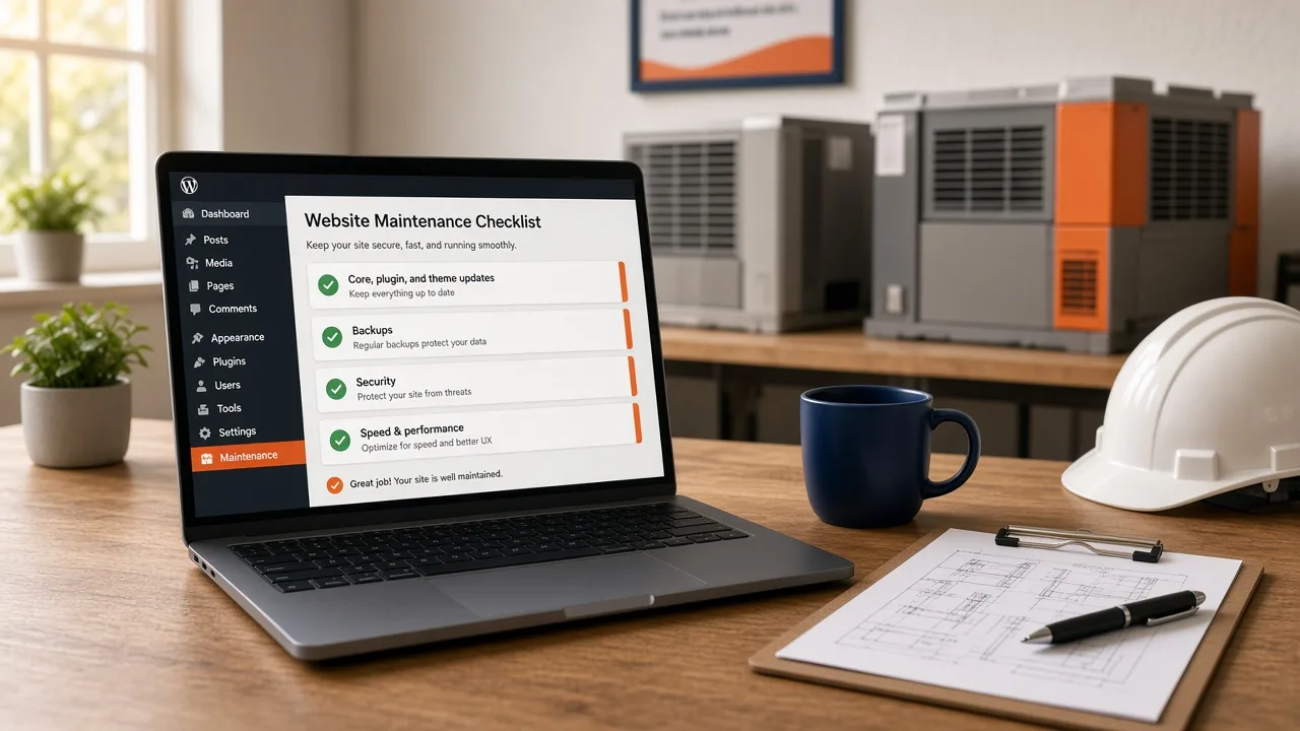

Website maintenance plan checklist for a WordPress site on a laptop in an HVAC contractor's office

What Should a Website Maintenance Plan Include? (Checklist + Costs)

A website maintenance plan is a recurring service that keeps your site updated, backed up, secure, fast, and accurate after it launches. For a small WordPress business site, a good plan covers core, plugin, and theme updates, off-site backups with tested restores, security and uptime monitoring, form testing, and a small block of content edits each month. Most published pricing guides put it at roughly $50 to $500 a month for a small business site.

If you run an HVAC company, a roofing crew, a plumbing or electrical shop, a dental office, or a cleaning company, your website has one main job: turning local searches into calls and booked jobs. Below: what a website maintenance plan should cover for that kind of business, a checklist, three plan tiers, real cost ranges, and red flags in cheap plans.

What is website maintenance?

Website maintenance is the ongoing work that keeps a site running the way it did on launch day: software updates, backups, security checks, speed checks, fixing broken links and forms, and keeping content current.

A website maintenance plan turns that work into a schedule with a named owner and a report showing it was done.

What does website maintenance include?

Here is what is included in website maintenance, in plain terms:

Area What it means How often
Software updates WordPress core, plugins, theme, PHP version Weekly to monthly
Backups Copies of files and database, stored off the server Daily or weekly
Security Malware scans, login protection, SSL checks Continuous, reviewed weekly
Uptime monitoring Alerts when the site goes down Continuous
Performance Page speed, image sizes, caching Monthly
Functionality Forms, call buttons, booking tools, links Monthly, and after every update
Content Services, prices, hours, service areas, photos Monthly or as needed
Reporting A short summary of what changed and what was fixed Monthly

Those are the website maintenance tasks almost everyone lists. What most guides skip is how they connect to leads.

What a website maintenance plan should include for a service business

A roofer’s or dentist’s site isn’t an online store. There’s no checkout. There’s a phone number, a quote form, maybe a booking widget, and service and city pages that bring in search traffic.

So the most important question for a service business is simple: can a customer still reach you? We call this the lead path check. A plan that updates plugins but never checks the lead path is only doing half the job.

The monthly lead path check

Every month, and after any major update, someone should confirm:

  • The click-to-call button works on a phone and dials the right number.
  • Every quote or contact form submits and the email lands in the right inbox (not spam).
  • Form entries are also saved in WordPress or your CRM, so a lost email doesn’t mean a lost lead.
  • Booking or scheduling widgets load and accept a test appointment.
  • Call tracking numbers and analytics conversion events still fire.
  • Your Google Business Profile links, review links, and map embed still work.
  • Emergency service banners, hours, and service areas are accurate.

A broken form can go unnoticed for weeks. Your phone just gets quieter.

Site maintenance for WordPress: what needs attention

WordPress gets its flexibility from plugins and themes, and that is also where most of the maintenance work lives.

Core, plugin, and theme updates

WordPress applies minor and security core releases automatically on most sites, but major releases still need someone to click update, according to the WordPress.org guide to updating WordPress. Plugins and themes are where the risk is. In its State of WordPress Security in 2026 report, Patchstack counted 11,334 new vulnerabilities in the WordPress ecosystem in 2025, with 91% found in plugins and only 6 in WordPress core.

Good practice: back up, test risky updates on a staging copy, update, then run the lead path check.

Backups you can actually restore

WordPress’s own backup documentation makes a point many owners miss: a full backup needs both the site files and the database. It suggests weekly backups for smaller sites, daily for busy ones, keeping at least 3 to 5 recent copies in different locations, and always backing up before an upgrade. Ask your provider when they last tested a restore.

Website security maintenance

Website security maintenance covers malware scanning, a firewall, two-factor login, removing old user accounts (ex-staff, past agencies), and SSL checks. Speed matters too. Patchstack reports that about half of high-impact vulnerabilities were exploited within 24 hours of disclosure, and 46% of vulnerabilities had no developer fix by the time they were made public. That’s why “we update once a quarter” isn’t enough for plugins with known issues.

Uptime monitoring

An uptime monitor checks your site every few minutes and alerts someone when it goes down. For a plumber who takes weekend calls, finding out Monday is too late. The plan should say who gets the alert and how fast they respond.

Speed and Core Web Vitals

Google’s Core Web Vitals documentation sets “good” targets: the main content loading within 2.5 seconds (LCP), responses to taps under 200 milliseconds (INP), and a layout shift score under 0.1 (CLS). Sites get slower over time as photos, plugins, and tracking scripts pile up, so a monthly speed check on your home page and top service pages is worth including.

Forms, call tracking, and lead tracking

This is the lead path check from above, plus spam protection. An over-aggressive spam filter can block real customers, so someone should review it.

Content updates and seasonal service pages

Service businesses change with the seasons. An HVAC company should push AC tune-ups in spring and furnace repair in the fall. Roofers update storm damage and insurance claim pages after bad weather. Cleaning companies promote move-out and holiday cleaning. Dentists update insurance lists and new-patient offers.

A good plan includes enough edit time for this without a new quote each time: a seasonal banner, a new city page, or fresh project photos.

Website maintenance checklist template

Here is a checklist you can copy, organized by frequency, for a typical WordPress service business site.

Frequency Tasks
Weekly Confirm backups ran; review security scan results; check uptime report; apply urgent security updates
Monthly Update core, plugins, and theme; run the lead path check; test speed on key pages; fix broken links; make content edits; send a report
Quarterly Test a full backup restore; remove unused plugins and old user accounts; review analytics and conversions; update seasonal service pages
Yearly Renew domain and SSL (if not automatic); review hosting plan and PHP version; audit all service and location pages; update privacy policy; decide if the site needs a redesign

If the yearly review shows the design itself is holding you back, that’s a different project.

Website maintenance plan example: three tiers for service businesses

Most monthly website maintenance plans come in tiers. Here is how we think about them for local service businesses. The price bands below come from the published sources in the cost section, not from our own rate card.

Basic Standard Growth
Best for Simple 5 to 10 page site, few changes (a solo electrician, a small cleaning company) Established business with service and city pages (most HVAC, plumbing, and roofing companies, dental offices) Sites fed by paid ads, many locations, or online booking
Updates Monthly Weekly checks, monthly updates, staging for risky ones Same as Standard, plus faster security patching
Backups Weekly, off-site Daily, off-site, quarterly restore test Daily, off-site, quarterly restore test
Security and uptime Scans and uptime alerts Scans, firewall, uptime alerts with response time Same, with faster response windows
Lead path check Quarterly Monthly Monthly, plus after every change
Speed Spot checks Monthly check on key pages Monthly check plus fixes
Content edits Small edits, around 1 hour 1 to 2 hours, seasonal page updates More hours, landing pages for campaigns
Typical published price band About $50 to $150 a month About $100 to $500 a month About $500 to $2,500 a month

The right tier depends on what it would cost you if the site stopped sending leads for a few days.

How much does a website maintenance plan cost?

Website maintenance costs vary because “maintenance” can mean anything from a hosting fee to a developer retainer. For small business sites, published ranges cluster around $50 to $500 a month:

Source Small business range
GoDaddy $50 to $500 a month ($600 to $6,000 a year) for small to medium business sites
Network Solutions, as cited by Your Web Team $600 to $6,000 a year
Your Web Team $100 to $500 a month for a WordPress small business site; $500 to $2,500 for lead generation sites
Quix Sites $50 to $150 a month for a simple brochure site; $150 to $500 for a small business site
Gravitate, as summarized by Apexure Around $100 to $200 a month for full-service plans for most small businesses

For a sense of real website maintenance packages pricing, two published examples: StephensCode lists plans from $50 to $100 a month, and TCB Studio lists WordPress care plans at $149 and $199 a month, with extra work billed at $125 an hour. GoDaddy puts general developer hourly rates at $50 to $150 or more.

Reading those sources together, a typical service business WordPress site will most often land around $100 to $300 a month, with simpler sites below that and ad-driven or multi-location sites above it. Hosting and premium plugin licenses may or may not be included, so check.

What drives the price

  • Number of plugins and how much custom code the site has
  • Backup frequency and whether restores are tested
  • Whether updates are tested on staging first
  • Response time promised for outages or hacks
  • How many hours of content edits are included
  • Whether hosting, premium licenses, and malware cleanup are bundled
  • Extra systems to check: booking tools, call tracking, CRM connections

How long does website maintenance take?

StateWP estimates most websites need 3 to 12 hours of maintenance per month. NCN Technology puts a small business site at about 2 to 5 hours a month. Content edits, speed fixes, and troubleshooting account for most of that time.

Questions to ask before you sign a maintenance plan

Use these when comparing providers:

  • What exactly is checked each month? Can I see a sample report?
  • Do you test my forms and call buttons after updates?
  • How often are backups taken, where are they stored, and when did you last test a restore?
  • Are updates tested on staging before going live?
  • If my site gets hacked, is cleanup included or extra?
  • How fast do you respond when the site is down?
  • How many content edit hours are included, and do unused hours roll over?
  • Do I keep ownership of my domain, hosting, and admin logins?
  • Is there a contract term, and how do I leave?

Red flags in cheap plans

  • “Unlimited” updates or edits with no written checklist
  • Auto-updating everything with no testing or backup first
  • Backups stored only on the same server as the site
  • No reports, so you can’t tell what was done
  • The provider owns your domain or hosting account
  • Malware cleanup excluded, with no price given

FAQ

What is a website maintenance plan?

A website maintenance plan is a recurring service agreement, usually monthly, that covers the routine care a site needs after launch: software updates, backups, security scans, uptime monitoring, speed checks, form testing, and small content edits. A good plan lists every task, how often it happens, and sends you a report so you can see the work was done.

What is included in website maintenance?

Website maintenance usually includes WordPress core, plugin, and theme updates, daily or weekly off-site backups, malware scanning, uptime monitoring, SSL checks, speed testing, broken link fixes, and form testing. Many plans also include an hour or two of content edits. For a service business, it should include checking that calls, forms, and booking tools still reach you.

How much does a monthly website maintenance plan cost?

Published guides put small business website maintenance at roughly $50 to $500 a month. GoDaddy cites $50 to $500 for small to medium business sites, and Your Web Team puts WordPress small business sites at $100 to $500. Price depends on backup frequency, testing, response times, content hours, and whether hosting or malware cleanup is included.

How long does website maintenance take?

Estimates range from about 2 to 5 hours a month for a small business site (NCN Technology) to 3 to 12 hours a month for most sites (StateWP). Routine updates and backup checks often take under an hour. Content edits, speed work, and fixing problems after an update add time. Visitors usually won’t notice routine maintenance.

Why is website maintenance important?

Plugins are where most WordPress security holes turn up. Patchstack found 91% of new WordPress vulnerabilities in 2025 were in plugins, and many are exploited within a day of disclosure. Beyond security, maintenance catches broken forms, slow pages, and outdated service information, which quietly cost a local business calls and booked jobs.

Can I maintain my WordPress site myself?

Yes, if the site is simple and you have time each month. You’ll need to back up before updating, check forms and call buttons afterward, watch security alerts, and know how to restore from a backup when an update breaks something. Many owners handle content edits themselves and hire out updates, backups, and security.

Choosing a website maintenance plan: where to start

Before you compare plans, see where your site stands. Our free contractor website grader is a good first check. Our Google review link generator is also free if you want an easier way to ask for reviews.

If you’d rather hand off the updates, backups, security, and lead path checks, Saaj Web Design can handle WordPress maintenance for your site. Send us your URL and we’ll tell you what we’d check first. You can message us on WhatsApp.

Business owner reviewing a website migration plan

Should I Switch from Wix, Square, or GoDaddy Sites to WordPress?

Table of Contents

  • Reasons to switch
  • Migration planning
  • Budget and timing
  • Launch checklist

Wix, Square, and GoDaddy can be sensible for a simple

site. Switch to WordPress when your builder limits growth, ownership, SEO, or integrations.

Reasons to switch

WordPress fits when you need many service or location pages, custom booking or CRM

connections, advanced redirects and schema, more hosting choices, or control of content and data.

A large app bill can also be a signal.

Reasons to stay

Stay when the current site is fast, accessible, generating leads,

easy to update, and meeting your needs. Migration involves design, co Another switch to WordPress

checkpoint is testing redirects. A measured switch to WordPress protects

visibility. A switch to WordPress can improve ownership. Plan your switch to WordPress carefully.

This switch to WordPress guide emphasizes testing. today. after launch and migration. This

checklist protects leads, search visibility, email continuity, and customer trust during the change.

ntent, redirects, forms, analytics, and testing. Switching only for a new dashboard is rarely a business case.

Website redesign and migration planning

Migration

How to switch to WordPress safely

Start with a complete backup and a page-by-page inventory. A good switch to

WordPress from Wix preserves your best content, images, forms, analytics, and email records.

Build on staging, review mobile calls to action, and test every form before launch.

Choose the right migration plan

For a brochure site, recreate the pages and map each

old URL. For a shop or booking site, test payments and integrations before changing DNS.

Keep the old builder site available until redirects, Search Console, and lead tracking are verified.

WordPress is not automatically better for every owner. It is a strong fit when you

need ownership, flexible SEO, custom integrations, or a platform your next developer can support.

If your current site converts and no platform limit exists, improve it in place.

For a private Preview-First review, contact Saaj Web Design or WhatsApp.</

Questions to answer before a rebuild

Write down which pages generate calls, which forms collect leads, and which tools your staff uses

every day. Decide who will own hosting, updates, backups, security, analytics, and content after launch.

A switch to WordPress from Wix is a business project, not only a visual redesign. Keep

the domain registered safely, document email DNS, and test every redirect with a real browser.

Compare the fully loaded cost of your current builder with

hosting, premium plugins, maintenance, and professional support. Ask for a staging link before approval.

Check accessibility, page speed, mobile tap targets, structured data, canonical

URLs, and the XML sitemap. Then monitor rankings, calls, forms, and broken links after launch.

The best migration is calm and reversible: build first, review

privately, keep the old site online, and change DNS only after

testing. If your current builder still meets your needs, a focused conversion and local SEO cleanup may be the smart

Before launch, confirm that the new site has one clear page title, a useful meta description, descriptive image alt text,

and links between related service pages.

Test the phone number, contact form, booking flow, thank-you page,

cookie banner, and accessibility with a phone. Keep a dated backup and a rollback plan.

After launch, check redirects and 404 reports weekly, then compare organic impressions and qualified calls with the previous month. This

practical process makes a switch to WordPress safer and helps the new site earn trust rather than merely look different.

er next step.

p>checklist

Inventory URLs, content, images, forms, analytics, email, and integrations. Map old URLs to relevant

new URLs, preserve titles, test mobile pages and forms, and verify Search Console.

Keep the old site until redirects work.

Budget and timing

Plan for hosting, design, cleanup, development, redirects, testing, and maintenance. Sites with bookings, commerce, or many URLs need staged checks.

Web team planning a WordPress migration

Preview-First

See a private preview: WhatsApp or saajwebdesign.com.

Bottom line

Switch for a clear business benefit—ownership, flexibility, integrations, or growth.

Plan the move in clear steps, then test every important page before launch.

Dentist providing a comfortable patient exam

Dental Website Must-Haves for U.S. Practices

Table of Contents

  • Booking and services
  • Trust and comfort
  • Local visibility
  • Launch checklist

Dental website must-haves help U.S. practices reduce anxiety, answer questions, and make booking easy. Patients compare trust, convenience, services, and location on a phone.

Dental website must-haves: Make booking obvious

Put online booking, phone, hours, address, and insurance information in the header. Keep forms short, explain response times, and offer an emergency path. Make every action easy to tap.

Explain services clearly

Create focused pages for exams, cleanings, emergency care, implants, orthodontics, cosmetic treatments, and pediatric dentistry. Explain who each service helps, what to expect, and next steps.

Dental website must-haves: modern dental chair ready for a visit

Show trust and comfort

Introduce the dentist and team with real photos, credentials, technology, financing, accessibility, and patient reviews. Use accurate policies and protect privacy. A calm tone matters.

Win mobile and local search

Keep pages fast and readable. Use descriptive titles, internal links, and consistent name, address, and phone details. Maintain Google Business Profile and request honest reviews.

Dental website must-haves: patient receiving professional dental care

Measure appointments

Track calls, booking clicks, forms, and directions. Improve pages that earn visits but few appointments.

Preview-First

See a private preview: WhatsApp or saajwebdesign.com.

Make dental website must-haves easy to scan

Patients often visit a dental website between errands or after searching on a phone. Put the most useful answer near the top of every page. A clear headline should explain the practice, location, and next step without forcing visitors to decode marketing language.

Use short sections for preventive care, urgent visits, cosmetic options, and family dentistry. Each service page should describe who it helps, what the visit includes, and how to prepare. Add a visible booking button and a phone link so patients can choose the contact method that feels comfortable.

Build confidence before the first appointment

Strong dental website must-haves include practical trust details. Introduce the clinicians with accurate credentials and friendly photos. Explain payment options, accepted insurance, accessibility, parking, and language support. These details reduce uncertainty and help a new patient decide whether the practice is a good fit.

Reviews can support trust when they are presented honestly and updated regularly. Do not promise outcomes or use exaggerated claims. Instead, explain the patient experience, show the space, and answer common questions about comfort, safety, and follow-up care.

Improve local visibility and conversions

Keep the practice name, address, and phone number consistent across the website and local listings. Link related service pages together with descriptive anchor text. For broader planning, compare the WordPress website cost for small business and choose improvements that support bookings rather than adding clutter.

Measure calls, appointment requests, booking completions, and direction requests. Review those numbers monthly. If a page receives visits but few inquiries, simplify its copy, strengthen the call to action, and check the mobile layout. A useful dental website should make the next step obvious at every stage.

Dental website launch checklist

Before launch, test every form, phone link, booking button, and map on a real mobile device. Check that images load quickly, alternative text describes their purpose, and headings follow a logical order. Confirm privacy and accessibility basics, then ask a team member to complete a booking without help.

These dental website must-haves create a calm, helpful path from search to scheduled visit. Keep improving based on patient questions and measured behavior, while preserving the clear language that makes the practice approachable.

Answer practical patient questions

Helpful dental website content should answer practical questions before a patient calls. Explain appointment length, preparation, aftercare, emergency availability, and what happens at the first visit. Keep these details current, use plain language, and make the booking path easy to find. Clear answers support trust and help the practice serve patients more efficiently.

Plumber working on a residential pipe repair

Website Checklist for Plumbers — What Actually Gets Phone Calls

A plumber website should make the next step obvious. Visitors may have an emergency, compare estimates, or need a scheduled repair.

Build for trust, speed, and calls.

Table of Contents

  • Phone path and calls
  • Service pages
  • Local trust
  • Mobile conversion
  • Launch checklist

Plumber Website: Put the Phone Path Everywhere

Show a tap-to-call number in the header, an emergency button, and a short form for non-urgent jobs. Repeat the number near services and at the bottom.

Track calls and forms.

Create useful service pages

Give drain cleaning, water heaters, leak repair, sewer work, gas lines, and emergency plumbing their own pages. Explain symptoms, next steps, service areas, and how to request help.

Plumber website tools ready for service work

Build local trust

Use team photos, licensing, insurance, warranties, financing, reviews, and brands you service. Keep business name, address, and phone consistent with Google Business Profile.

Make mobile conversion easy

Compress images, keep text readable, remove blocking pop-ups, and keep forms short. A fast mobile page with one clear call to action wins.

Plumber website residential plumbing pipes being serviced

Measure and improve

Review Search Console, analytics, calls, and forms monthly. Improve pages with impressions but few clicks, and add FAQs from real customer questions.

Preview-First

Get a private preview: WhatsApp or saajwebdesign.com.

Plumber Website Checklist: Quick Launch Plan

Start with the phone path before adding decorative design. Put the primary number in the header, give it a clear tap target, and repeat it near each major service.

Add a short form for visitors who cannot call, but keep it focused.

Check every service page on a phone. A visitor should understand the problem you solve, the areas you serve, what happens after a request, and how quickly someone will respond.

Specific service pages help customers choose the right next step.

Trust signals should support the decision. Show real team or job-site photos, licenses, insurance, warranties, financing details, and recent reviews.

Keep the business name, address, and phone consistent across the website and Google Business Profile.

Before launch, test the site on a small screen and slow connection. Compress large images, remove pop-ups that block the phone number, and confirm buttons work with one thumb.

Ask someone unfamiliar with the business to find emergency plumbing and request an estimate.

Finally, measure calls, form submissions, and the pages that bring qualified visitors.

Review the data monthly, improve pages with impressions but few clicks, update service information, and add concise answers to questions customers ask repeatedly.

Test Every Plumber Website Detail

Walk through the customer journey as if you have a leaking faucet and no time to spare.

Confirm the emergency number is visible without scrolling, the service area is clear, and the request form explains when a team member will reply.

A simple confirmation message prevents duplicate submissions.

Review accessibility as well as appearance. Use descriptive link text, readable contrast, labels for form fields, and image descriptions that explain what the photo shows.

Make buttons large enough to tap and avoid relying on color alone to communicate urgency.

Keep the content current. Remove expired promotions, update service areas, and answer new questions from calls and reviews.

These small improvements make a plumber website more useful for people and more trustworthy for search engines.

Make Contact Information Obvious

Place the service area, hours, and response expectations near the contact options. If the business offers emergency help only at certain times, say so plainly.

Clear information reduces hesitation and helps the right customers call.

Use analytics and call tracking to compare pages, not just traffic. The best plumber website is the one that answers urgent questions, demonstrates local credibility, and makes a real conversation easy.

Clear service details help callers choose confidently and keep the experience simple.

Local business team comparing Wix and WordPress websites

Wix vs WordPress for a Local Service Business

Wix vs WordPress for a local service business?


For a local service business, the better platform depends on the team, budget, and growth plan. Wix is convenient for owners who want hosting, templates, security, and routine updates handled in one dashboard.

WordPress takes more setup, but it provides deeper control over content, speed, integrations, and future changes.


A strong local website should make it easy to call, request a quote, or book an appointment. Keep the phone number visible, create a dedicated page for each service, and explain the neighborhoods or cities served.

Add testimonials, a clear contact form, accurate business details, and helpful photos. These improvements matter on Wix and WordPress because local SEO depends on relevance and trust, not only the software.


WordPress is often the better long-term choice when a business needs multiple service pages, advanced forms, marketing integrations, or a custom SEO strategy. It also makes it easier to connect related content and build a site that can grow.

Wix can still be a practical choice for a simple brochure site when speed and simplicity matter more than flexibility.


Before choosing, compare the full cost of hosting, domains, premium templates, maintenance, backups, and professional help.

Whichever platform you choose, test the site on a phone, compress images, use descriptive headings, and link to your most important service pages. A preview-first plan can help a local business improve calls without committing to a rushed rebuild.

Wix and WordPress can both support a local service website that earns calls. Neither ranks you automatically. Choose based on ownership, maintenance, SEO, and growth.

Comparison

Wix is fast DIY with hosting, SSL, and updates included. WordPress needs more setup, but you choose hosting, keep control, and can move the site. Wix offers strong SEO basics; WordPress allows deeper customization. Both can be fast and mobile-friendly.

Local SEO

Local results depend on relevance, distance, prominence, reviews, consistent business details, and a complete Google Business Profile. Both platforms support titles, meta descriptions, sitemaps, redirects, mobile layouts, and schema.

WordPress offers more flexibility for integrations and service pages. Wix can perform well when content, speed, calls to action, and GBP are strong.

Workspace editing a local business site

Ownership and cost

Wix apps can add cost and leaving usually means rebuilding. WordPress requires hosting, updates, backups, and security, but you control the installation. It is not automatically cheaper; it is more controllable.

Which fits?

Choose Wix for simplicity. Choose WordPress for portability, custom tools, many service pages, technical SEO, and long-term ownership.

Technical controls for a business website

Preview-First

Get a private preview: WhatsApp or saajwebdesign.com.

Bottom line

Wix wins on simplicity. WordPress wins on flexibility and contr


Making the choice


For a local service business, the right website platform depends on how you plan to grow. Wix is a practical starting point when you want a simple site online quickly and prefer built-in tools.

WordPress is often a stronger long-term choice when you need flexible service pages, local SEO, integrations, speed improvements, or a website that can expand with your team.


Before switching, compare the total cost of ownership rather than the first subscription price. Include hosting, domain renewal, templates, updates, backups, security, content changes, and professional help.

A clear plan prevents surprises and keeps your website focused on calls, quote requests, and booked work.


Whichever platform you choose, make the next step obvious. Use one primary call to action, show your service area, publish helpful answers to customer questions, and keep phone and contact details easy to find on every device.

A fast, trustworthy website supports your marketing; it should not become another obstacle for your customers.


If you are unsure whether Wix or WordPress fits your business, a short website review can identify the best path before you invest more time or money.ol.

Small business owner reviewing WordPress website costs and budget

WordPress Website Cost for Small Business: U.S. Guide

Table of Contents

  • Typical cost ranges
  • What a website budget covers
  • Questions before hiring
  • Budget checklist

What is the WordPress website cost for a small business? WordPress software is free, but a fast site that builds trust and brings calls still has real costs. This U.S. guide explains what to budget.

Typical cost ranges

DIY sites often cost $200–$1,500 upfront. A freelancer usually charges $1,500–$8,000. An agency may charge $5,000–$18,000 or more for strategy, copy, integrations, and a larger build. Many local businesses budget $2,000–$7,000, then $50–$200 monthly for hosting and maintenance.

What you pay for

Domain, hosting, and security

A .com domain is about $10–$20 per year. Hosting may cost $5–$50 m

Planning your website budget

Start with the business outcome, not a plugin list. A local company usually needs a home page, service pages, an about page, contact details, and a clear way to request a quote. A larger budget may include location pages, booking, payments, CRM connections, or a blog. Listing requirements before requesting quotes makes the WordPress website cost for a small business easier to compare.

Questions to ask before hiring

  • Will the site work well on phones and load quickly?
  • Who writes the page copy and optimizes the images?
  • Are hosting, SSL, backups, updates, and support included?
  • Will I own the domain, hosting account, and website files?
  • How will phone clicks, forms, and search traffic be measured?

Ask for a written scope, timeline, revision policy, and maintenance price. The lowest quote is not always the lowest long-term cost if it leaves you with slow pages, missing content, or no support.

Compare platforms in our Wix vs WordPress guide. For phone-call conversions, use this plumber website checklist. For a private preview, visit saajwebdesign.com.

Bottom line

Plan for a few hundred dollars for DIY, a few thousand for a freelancer, and more for agency strategy. A helpful WordPress website should turn relevant searches into inquiries.

Small business WordPress website cost planning

onthly. Confirm SSL, backups, support, uptime, and renewal prices before buying.

Design, content, and tools

Themes, forms, analytics, SEO, security, backups, and performance tools can add $0–$500 yearly. Labor covers mobile layouts, service pages, click-to-call buttons, useful content, and clear calls to action. Helpful service pages and original photos often produce better results than adding more plugins.

WordPress website budget for a small business

Choose the right approach

DIY works for a simple site when you have time. A freelancer is often the best value for a local service business. An agency adds research, brand strategy, copywriting, integrations, and process for complex projects.

Plan a WordPress website budget that lasts

WordPress website cost is easier to manage when the project has a clear priority list. Start with the pages that explain the offer, build trust, and make contact simple. A smaller site can still perform well when its content is focused and its mobile experience is tested.

Ask whether a quote includes strategy, copy, image preparation, accessibility, analytics, backups, updates, and support. Separate one-time setup from recurring hosting and maintenance. This makes it easier to compare proposals without choosing only by the lowest headline price.

Reserve part of the budget for improvements after launch. Review search impressions, calls, forms, and sales conversations. Then invest in the pages and features that help real customers rather than adding tools that nobody uses.

Small business launch checklist

Before publishing, test forms, phone links, navigation, page speed, and security on a real phone. Confirm that images have useful alternative text and that each important page has a clear next step. A calm, readable website protects the value of every dollar spent.

Keep the language direct, publish useful answers, and revisit the plan as the business grows. Clear decisions usually improve both usability and long-term WordPress website cost. For official platform guidance, review WordPress.org support resources.

Common web design mistakes

7 Common Web Design Mistakes That Kill Conversions (And How to Fix Them in 2026)

Common Web Design Mistakes That Kill Conversions
(And How to Fix Them in 2026)

In today’s competitive online world, your website often serves as the first and only opportunity to turn visitors into paying customers. Yet many businesses unknowingly damage their own success through common web design mistakes that kill conversions.

Even a visually appealing website can fail miserably if it creates friction, confusion, or distrust for users. Research shows that poor user experience leads to high bounce rates, with many visitors leaving within just a few seconds. In 2026, where attention spans are shorter and mobile traffic continues to dominate, these common web design mistakes that kill conversions can cost businesses significant revenue every month.

This comprehensive guide uncovers the top web design mistakes that kill conversions and provides practical, actionable solutions. Whether you’re a small business owner, startup founder, or freelancer, avoiding these errors can dramatically boost your website’s performance.

1. Slow Loading Speed – One of the Deadliest Common Web Design Mistakes That Kill Conversions

One of the most damaging common web design mistakes that kill conversions is poor page loading speed. Modern users expect a website to load in under 2–3 seconds. Every additional second of delay can reduce conversions by as much as 20%.

Why it hurts conversions: Frustrated visitors simply leave. Slow websites also perform worse in Google rankings because of Core Web Vitals.

Common causes:

  • Unoptimized large images
  • Excessive JavaScript and plugins
  • Inefficient code or poor hosting

How to fix it:

  • Compress and properly format all images
  • Enable caching and use a reliable CDN
  • Minify CSS, JavaScript, and HTML files
  • Choose fast hosting optimized for performance

Test your current speed with Google’s free Page Speed Insights tool.

As a freelance web designer, I make speed optimization a core part of every project. My Professional and Premium packages include full performance tuning so your site loads quickly and avoids being one of the common web design mistakes that kill conversions.

2. Poor Mobile Experience (Non-Responsive Design)

Ignoring mobile users is another frequent web design mistake that kills conversions. With more than half of all internet traffic coming from mobile devices, a non-responsive design frustrates visitors and leads to lost sales.

How to fix it:

  • Design with a true mobile-first approach
  • Use flexible, responsive layouts that adapt perfectly to any screen size
  • Test thoroughly on real mobile devices
  • Ensure all buttons and links are easy to tap

Responsive design is non-negotiable in 2026. I always build sites that deliver an excellent experience across devices, helping you steer clear of common web design mistakes that kill conversions.

3. Confusing or Overcomplicated Navigation

If visitors cannot find what they need quickly, they will leave. Confusing navigation remains one of the most common website design mistakes that reduce conversions.

Signs of the problem:

  • Too many menu items
  • Vague or unclear labels
  • Important pages buried in complex dropdowns

How to fix it:

  • Limit the main menu to 5–7 clear items
  • Use descriptive, user-friendly labels
  • Add a prominent search bar when needed
  • Include breadcrumb navigation on inner pages

Simple and intuitive navigation smoothly guides users toward your conversion goals.

4. Weak or Missing Calls-to-Action (CTAs)

Unclear or poorly designed CTAs are among the top common web design mistakes that kill conversions. Visitors arrive on your site but don’t know what action to take next.

How to fix weak CTAs:

  • Use high-contrast colors so buttons stand out
  • Write benefit-driven, action-oriented text (e.g., “Get Your Free Quote” instead of “Submit”)
  • Place the main CTA above the fold and repeat it naturally
  • Avoid having too many competing buttons on one page

Strong, clear CTAs remove guesswork and gently encourage users to convert.

5. Cluttered Layouts and Poor Visual Hierarchy

Cluttered designs overwhelm visitors and make it difficult to focus on your message. This is a classic web design mistake that kills conversions by creating visual noise.

How to fix it:

  • Use generous white space to let content breathe
  • Create clear visual hierarchy with size, color, and spacing
  • Stick to 2–3 fonts maximum
  • Remove any elements that don’t support your main goal

Clean, focused layouts help users scan quickly and take action more easily.

6. Lack of Trust Signals

In 2026, users are more cautious than ever. Websites missing trust elements trigger doubt and become one of the silent common web design mistakes that kill conversions.

How to build trust:

  • Display real customer testimonials with photos
  • Add security badges near forms and checkout areas
  • Include clear contact information and privacy policy
  • Use authentic images instead of generic stock photos

Trust signals turn skeptical visitors into confident customers.

7. Weak or Unclear Value Proposition

If visitors don’t quickly understand what you offer and why it matters, they bounce. A vague headline or buried benefits counts as a serious conversion-killing web design mistake.

Solution:

  • Craft a compelling headline and sub-headline above the fold
  • Focus on benefits rather than just features
  • Speak directly to your audience’s pain points
  • Support claims with visuals or short proof points

A strong value proposition keeps visitors engaged and moving toward conversion.

Additional Mistakes to Avoid

  • Poor readability (low contrast, tiny fonts, long text blocks)
  • Broken links or outdated content
  • Ignoring web accessibility standards— follow the Web Content Accessibility Guidelines (WCAG) to make your site usable for everyone.

How a Professional Website Redesign Helps You Avoid These Mistakes

Addressing common web design mistakes that kill conversions often delivers one of the fastest returns on investment for your business. A strategic redesign can significantly increase leads and sales.

I specialize in creating fast, clean, and conversion-focused websites for clients worldwide. My clear packages are designed for real results:

  • Starter ($100): Clean responsive design with essential optimization
  • Professional ($200): Mobile-first build, speed optimization, strong CTAs, and trust elements
  • Premium ($500): Advanced UX/UI, custom features, thorough testing, and support

Many clients report noticeable improvements in engagement and inquiries after moving to a professionally designed site that avoids these common pitfalls.

Take Action: Fix Your Website Today

Don’t let common web design mistakes that kill conversions continue costing you potential customers. Review your current website against the points above, or let an experienced freelancer handle the improvements for you.

Ready for a modern, high-converting website that actually works for your business in 2026? Check my website packages or contact us today to get started.

A smart investment in better web design can deliver excellent returns for years to come.